
How I Made This Vixel Promo
How I planned the story, storyboard and shots for a 60-second AI promo video, then brought the footage together with editing and effects.
I started with three kinds of people: an illustrator with a character, a musician with a song, and a creator still looking for an idea. This 60-second promo follows their first steps toward a film.
Here’s how I planned the shots, softened the look of the people, then added the cards, text and sound in the edit. Watch the film first, or jump to the part you’re working on.
Turn an idea into visible actions
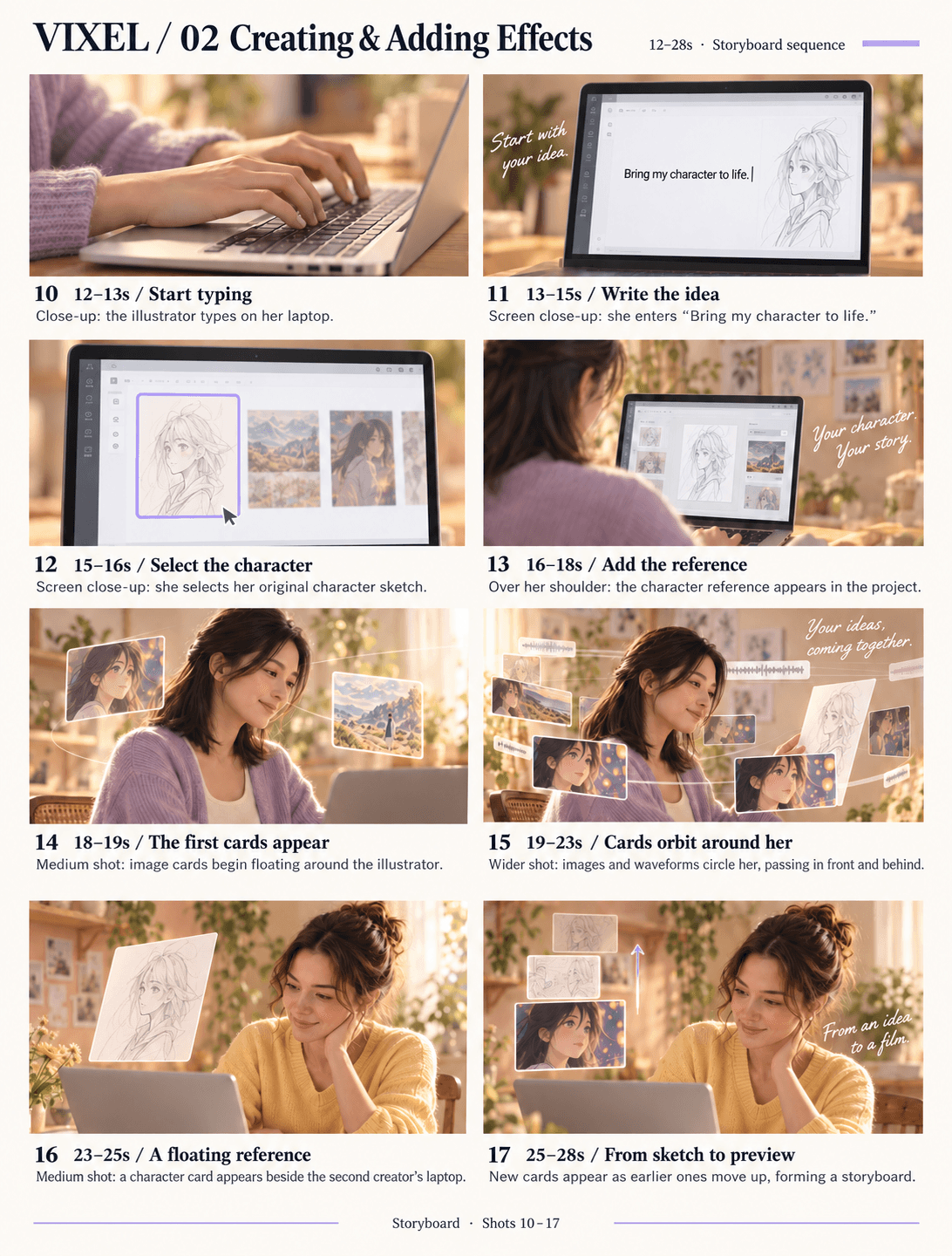
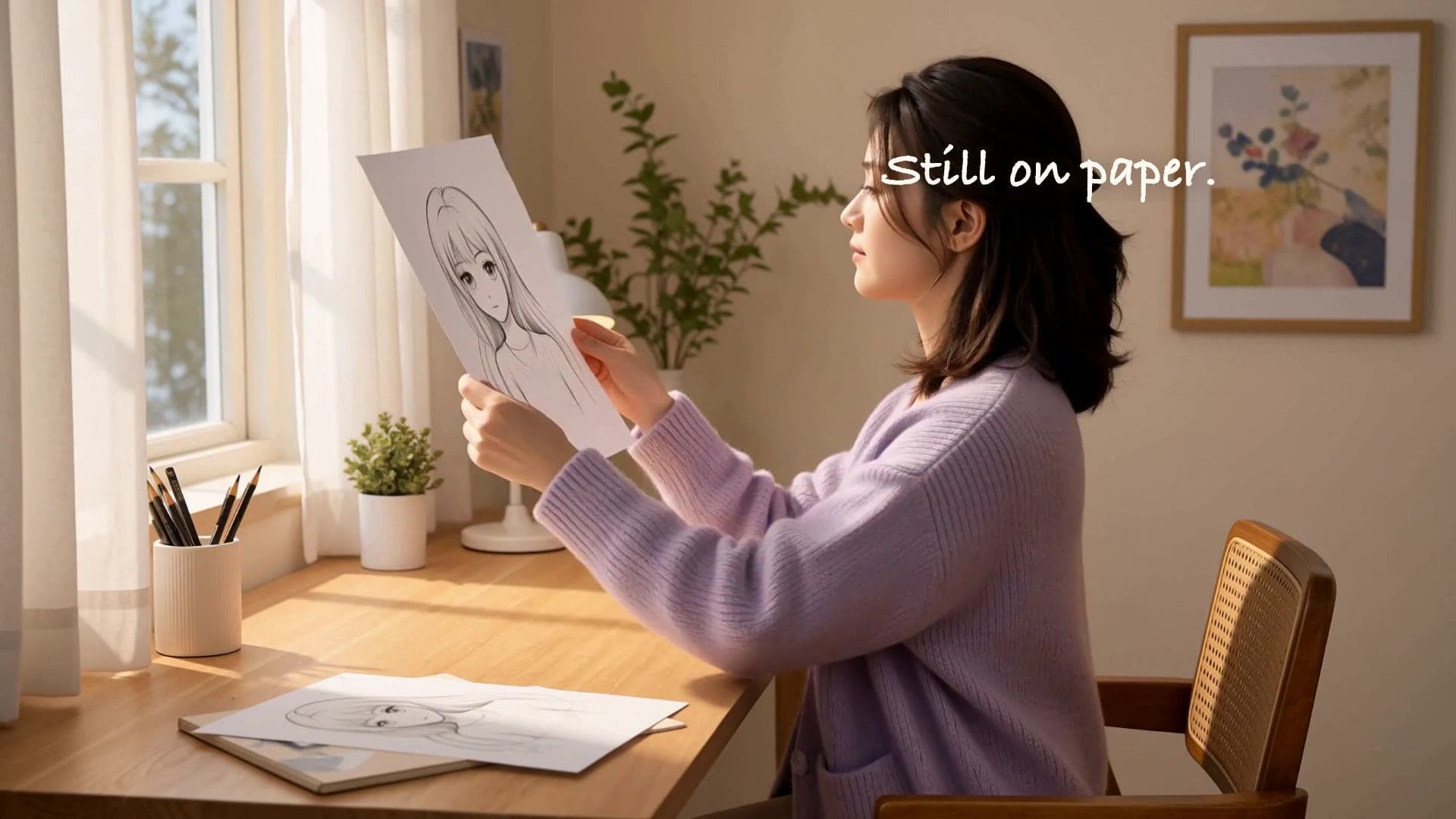
Before choosing camera angles, I worked out what each person could actually do on screen. The illustrator picks up her sketch; the musician plays guitar and listens to a recording; the third creator moves between photos, a notebook and a computer. A small action gives us something to follow.
The first storyboard felt a little short on shots. I wanted a quicker pace, so I added more cuts.
For the drawing scene, I could start with the pencil tip, cut to her face, then show her picking up the sketch. The reference scene could work the same way: a shot of the photos, a page turning, then hands on the keyboard.
Once I had those actions listed, I arranged them and worked out how long each shot needed. The final storyboard had four pages and 38 shots.
I wanted the opening to move quickly while introducing the creators, then slow down a little for the cards and the finished sample.
Let the people feel at home
Some of the early images had too much texture. The skin, hair, and clothes were all very detailed, and the people didn’t look quite natural.
I wanted a warmer, softer look, so I asked for softer lighting, lighter shadows on the face, and less sharpening. A little skin smoothing and soft focus was fine, as long as the expressions were still clear.
The movements could stay simple: looking down at a sketch, turning a page, or moving a photo. Those little gestures make someone feel absorbed in their work. There doesn’t need to be a big performance in every shot. I wanted to settle on the person and the room before making the rest of the shots.
Give the ideas room to move
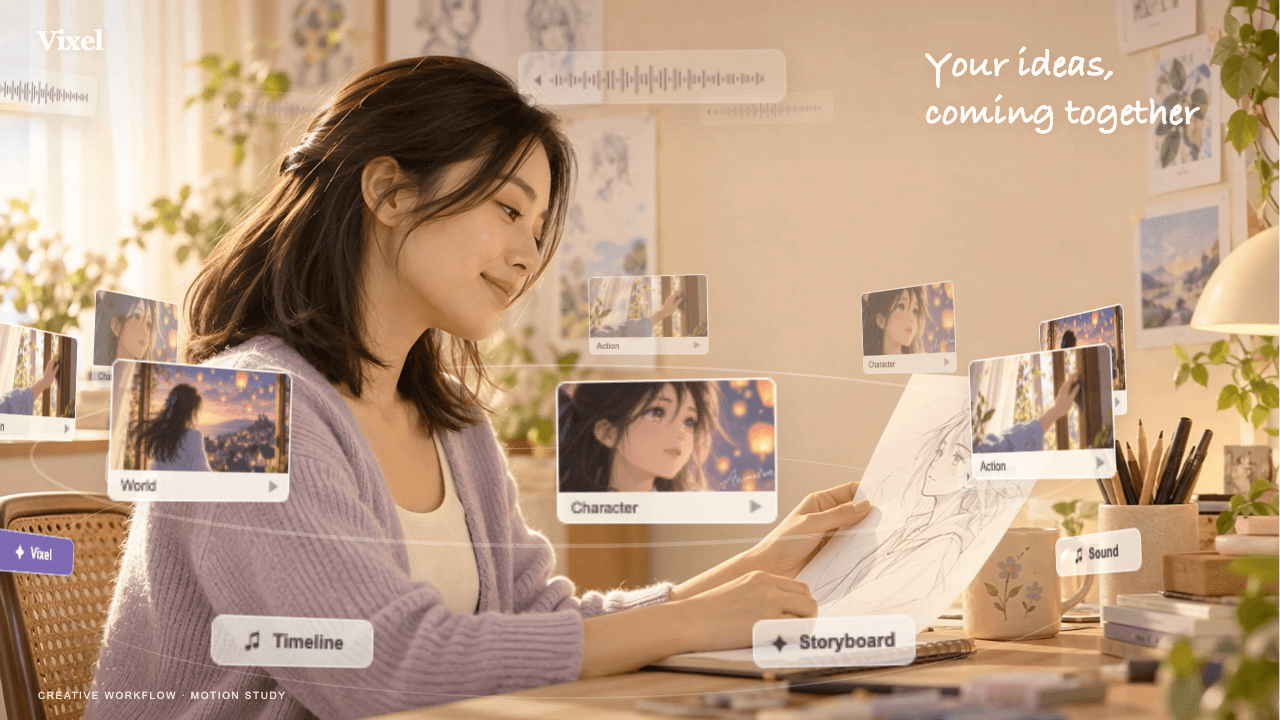
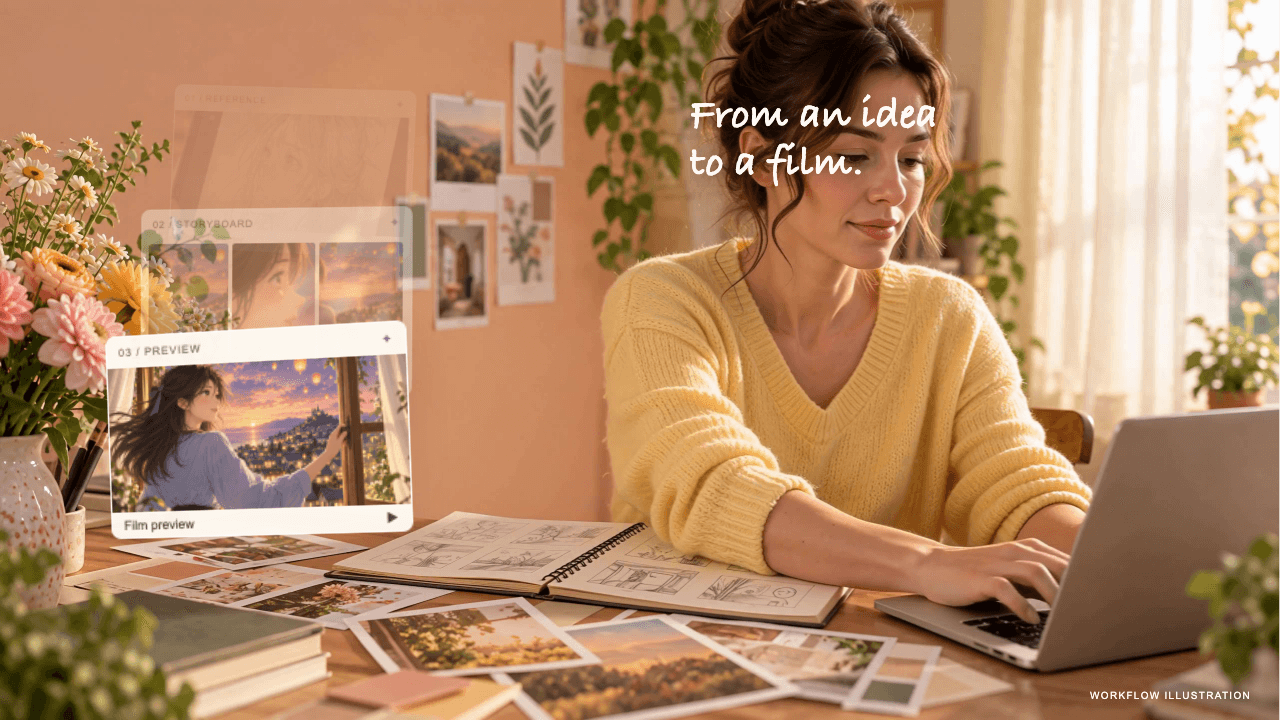
I wanted two kinds of card animation.
The first moves around the illustrator, with character images, scenes, and waveforms. Some cards pass behind her and others move in front. Their size and angle change as they move.
The second sits beside the laptop. A reference image appears, then a storyboard, then a video preview. As each new card arrives, the older ones move up, shrink, and fade out.
The two arrangements tell slightly different stories. Around the illustrator, the orbit brings a world, a character and an action together while she holds the sketch. Beside the laptop, the stack has a reading order: reference, storyboard, preview. It gives an abstract process a shape you can follow.
I needed to leave space for those cards when planning the shot, rather than filling the frame with the person and the laptop.
These animations were added in post-production, after the footage was generated. The handwritten text was added separately too, so it was easier to change the words, position, or timing later.
Make room for a little wonder
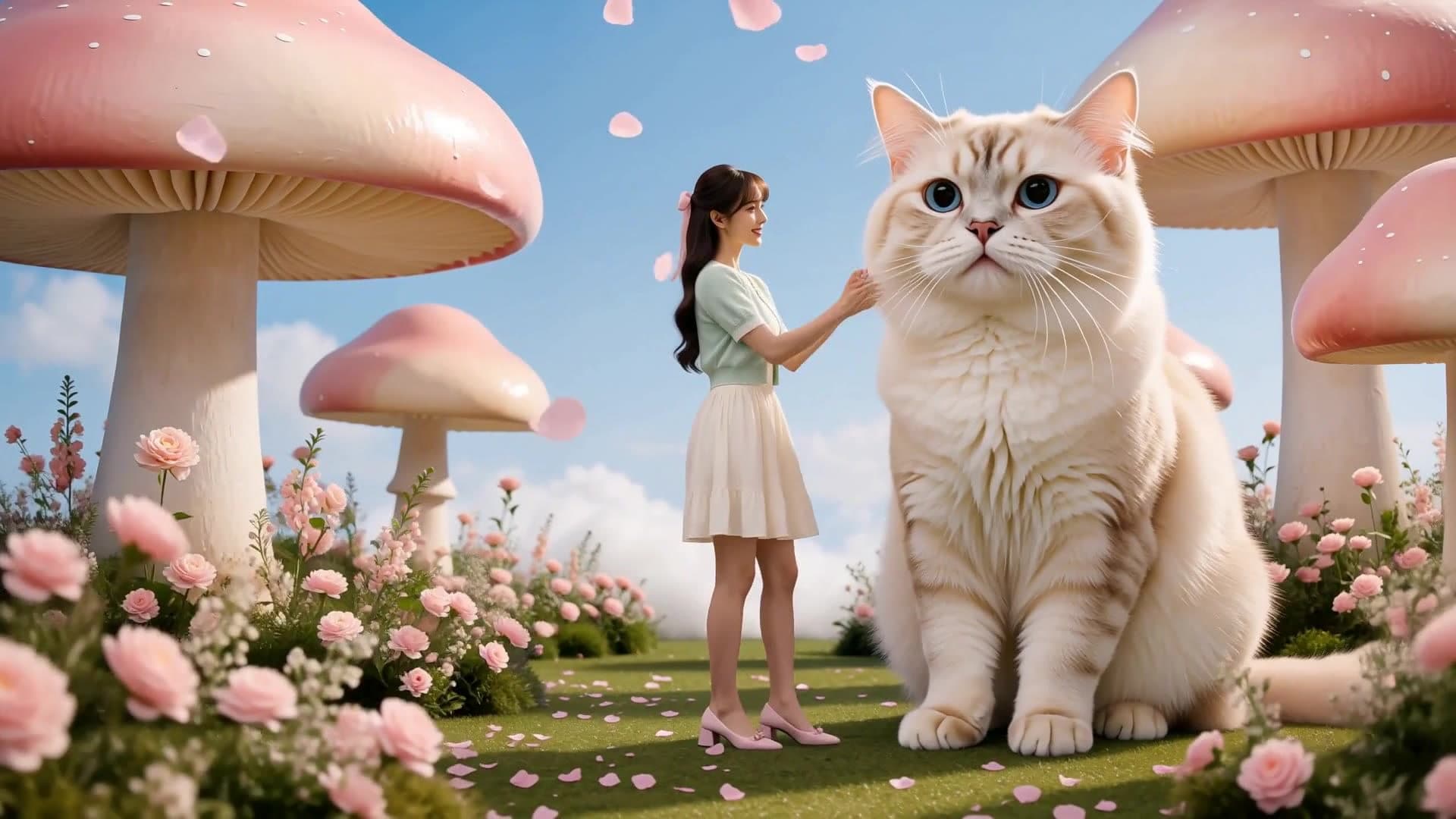
I also wanted people to see a finished piece, so I added the 15-second Pastel Dream sample near the end.
It has a retro computer, an oversized cat, cloud stairs, and a miniature room. It looks quite different from the everyday settings earlier in the promo. The shift gives the ideas we have been watching somewhere to go: we leave the desk and enter an imagined world. The soft pinks, blues and cream keep those surprising changes of scale connected.
This part runs from 0:41 to 0:56. After it finishes, the film returns to the creators reacting and sharing, then closes with the Vixel end card.
Listen to the cut, then watch it again
Once the shots were in order, I could look at them with the voiceover, music, and animated text.
A shot might seem long enough on its own, but need more time once there’s text to read. Or the picture might change while the voiceover is still talking about the previous scene. Those are the things to adjust in the edit.
The opening can move faster, the effects need a little more time, and the finished sample gets its full run. The whole promo stays at 60 seconds.
For your own edit, try three passes: watch without sound to see whether the images connect, listen for clipped words or abrupt changes, then watch picture and sound together at normal speed. If a card needs reading time, give it that time instead of adding another cut.
Questions about the film
- What was the workflow for this AI promo video?
- I planned the creators’ actions and a four-page, 38-shot storyboard, developed the footage’s look, then assembled the shots with voiceover, music, card animations and handwritten text. The finished edit runs for 60 seconds.
- Were the floating cards generated with the footage?
- The cards and handwritten text were added in post-production after the footage was generated. Planning space for them in the original composition made their placement easier to control in the edit.
- Do I need 38 shots for my first AI film?
- No. That count belongs to this particular promo. Start with a few shots that show a clear action and payoff. Add another view only when it reveals something the audience needs to see.
Try a small story of your own
You could start with just one person. For example, make the illustrator’s story: she has drawn a character and wants to see what it looks like in motion.
In Vixel, you could start with this:
I want to make a 30-second short about an illustrator. She has already drawn a character and wants to animate it. Keep the look warm and the people natural. Help me write the story and plan the shots first. I’ll review them before we move on.
Read through the story and the shot plan first. Once you’re happy with them, you can start making the images.
Start with this story ideaEdit this practice idea in Vixel before you submit it. Opening the link does not start generation. Review your story and the displayed credit cost before producing images or video.