Explore freely. Sign in to create. Generation uses credits. See plans.
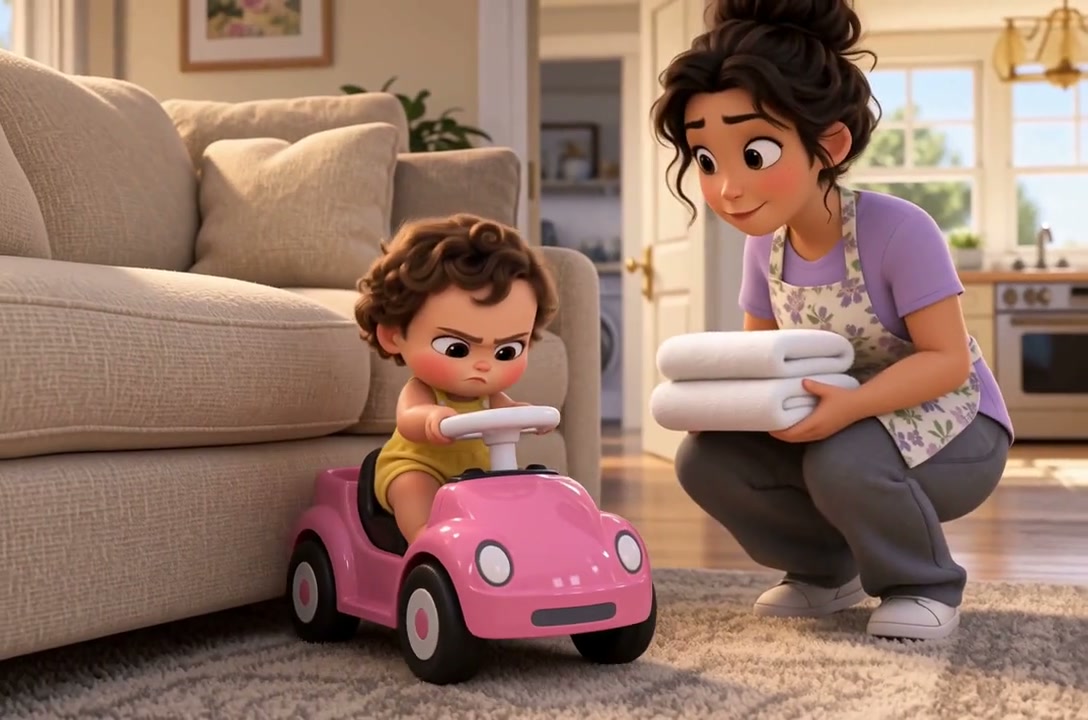
Watch the film ↗In Bella’s Special Delivery, a pink toy car and a pile of towels turn a small errand into a family comedy.
From idea to a considered result
How to get started
01
Give someone a reason to act
Name the character, what they want and what gets in the way. “A fox returns a lost boat before nightfall” gives you more to work with than “a beautiful forest adventure.” Add the audience and tone if they matter.
02
Read the ending first
Open an idea below as an editable draft. Ask Director for the story or script, then read it through. Does the character’s action cause the ending? Change the part that feels wrong before spending time on images.
03
Choose what the camera needs to see
When the story works, move into a shot plan. Give each shot one visible action and keep recurring character details together. You can stay with a script or continue toward images and video in the same film workspace.
Make it your own
A starting idea. Your direction.
These original practice prompts are separate from the featured film. Open one as an editable draft and adapt it in the workspace.
Help me write a short bedtime story about Pip, a small brown rabbit in moss-green pajamas, who brings his cream paper boat inside before the rain. He sets it on a folded cloth and settles under his blanket. End with: Goodnight, little boat. We’ll sail again tomorrow. Use about 80 words, familiar language and a reassuring ending. Start with the story text for my review; do not generate images, video or audio yet.
Write a one-minute short-film script about a night-shift cleaner who finds a plant wilting under an office desk and moves it into the first patch of morning sun. One location, one character, no dialogue. Make the change visible through actions rather than explaining feelings. Give me a beginning, a complication and an ending to review before we plan shots or generate media.
Help me develop a short animated story about an apprentice kite maker who must choose between winning a contest and repairing a younger rival's broken kite. Use original characters, one setting and a clear ending. First propose a short story draft with the character's goal and the choice that changes the outcome. Wait for my feedback before planning or producing media.
Can you explain what the character wants in one sentence?
Does something change because of what the character does?
Could the key moment be shown through an action, a prop or a reaction?
Does the ending fit the audience and tone you chose?
A little clarity before you create
Frequently asked questions.
What does this AI story generator help me make?
Vixel Director helps develop a story or screenplay that you can review and revise, then take into a shot plan and film production. This page focuses on short stories and film scripts.
Can I make a bedtime story or a children’s animation?
Yes. Start with a gentle story brief and review the language, situations and ending yourself for the intended audience. The bedtime story and children’s animation guides below walk through small, original examples.
Will clicking an idea immediately make a video?
No. The idea opens as editable text in Creator. Sign in when required, review the brief and submit it when you are ready. Image and video production are later steps and use credits.
Is this the earlier Vixel Worlds roleplay experience?
This page now describes Director in Vixel Creator: developing a story, reviewing a script and planning shots. Earlier Worlds guides remain available separately for reference; open-ended roleplay is not the workflow shown here.