AI animated series makerMake the first episode. Keep the cast for the next.
Start with a character you care about: your pet, your child's drawing, a mascot or an original hero. Make a short first episode with Director. When the cast looks right, open the Work, choose Create from this and pick Next chapter or New story. The same characters, places and props come with you into episode 2.
Explore freely. Sign in to create. Generation uses credits. See plans.
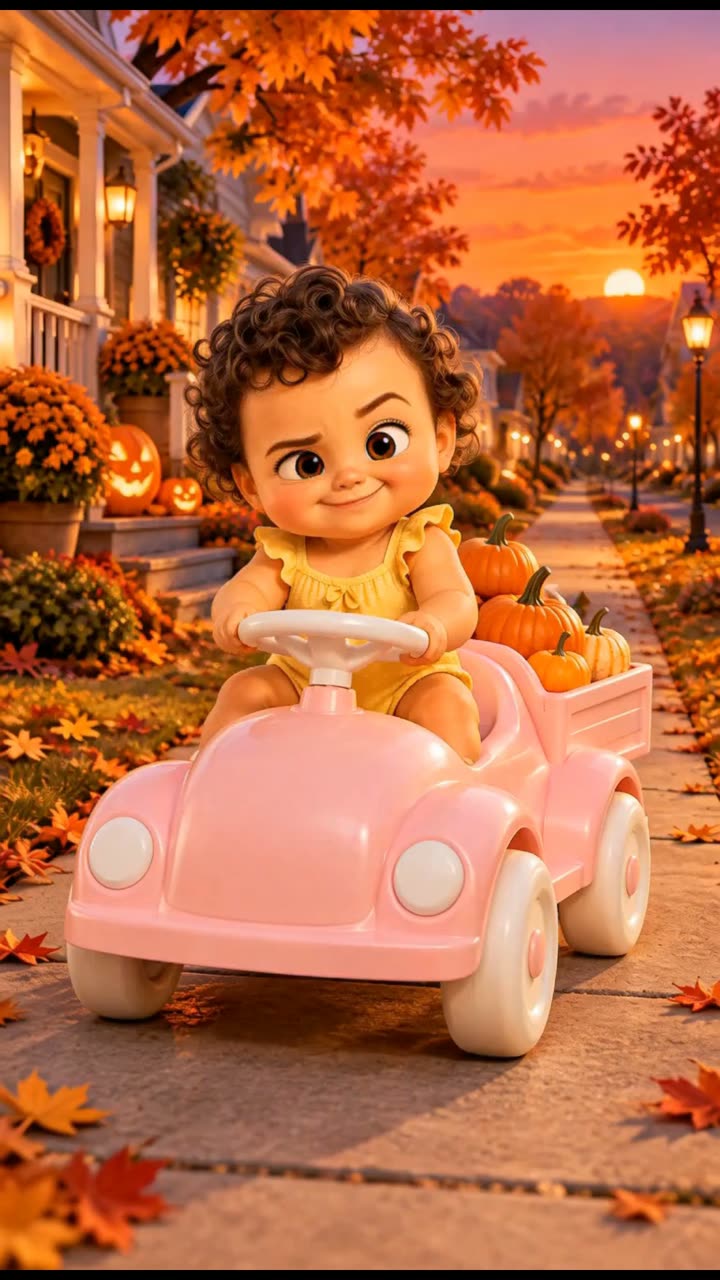
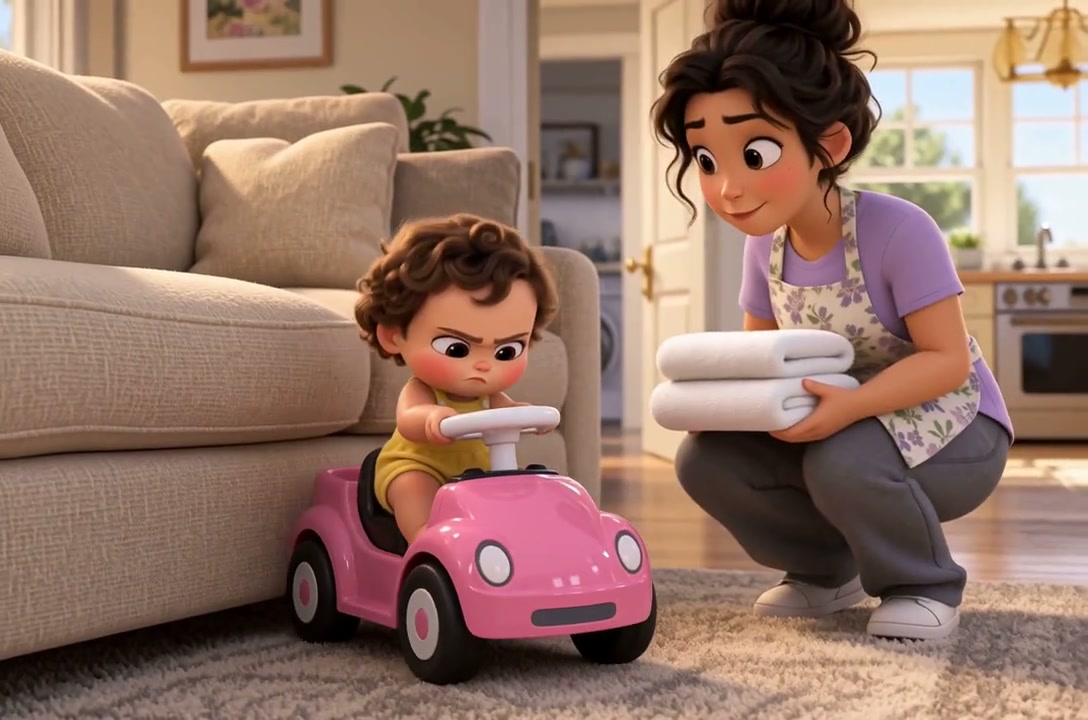
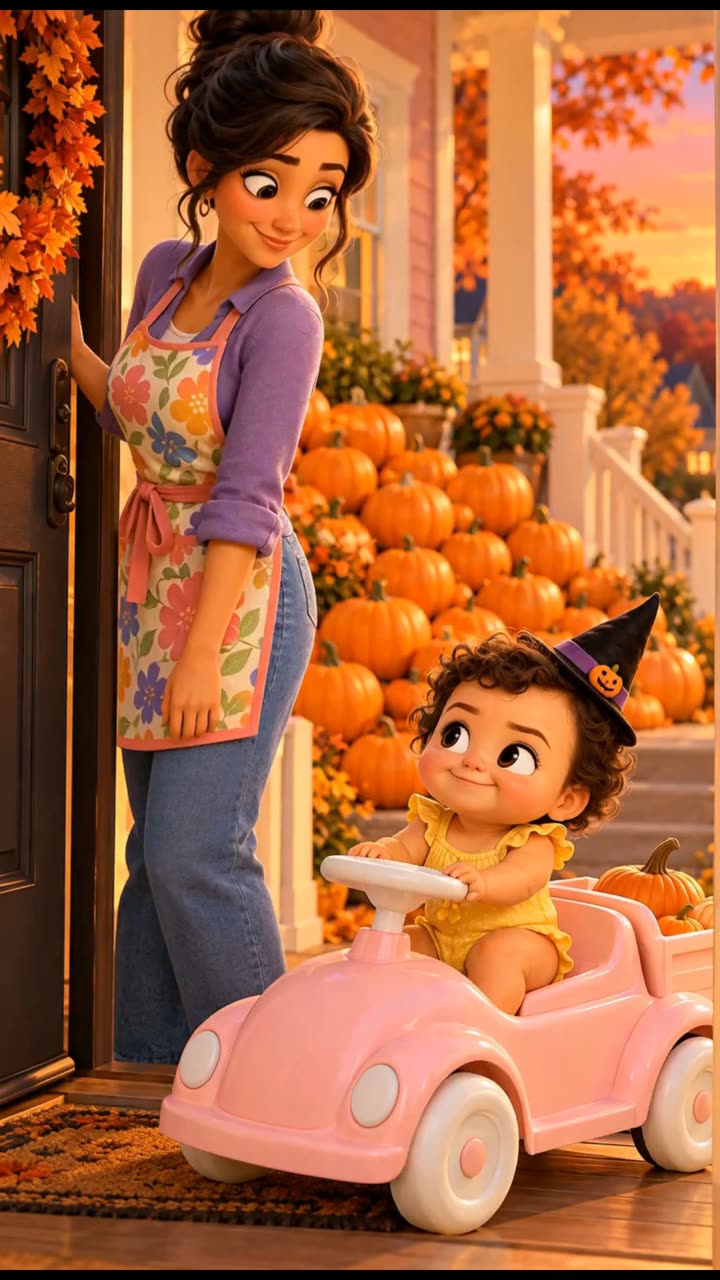
Watch the film ↗Bella's Halloween is episode 2 of a Vixel team series: 30 seconds, 9:16, six shots. Bella and Maya come from Bella's Special Delivery, episode 1. Watch both and compare the faces and outfits.
Same cast, new story
One cast, two episodes
Episode 1 is a 56-second widescreen film. Episode 2 is a 30-second vertical Short, made weeks later in a separate Work with Bella and Maya's accepted looks as references.
Bella: dark curls, round face and the yellow romper
Maya: hair bun, purple top and flowered apron
The pink ride-on car and the over-ambitious delivery joke
What changed
The car's wheels went from black to white. Only Bella and Maya were carried over, so the car was redrawn. Bring every recurring prop and place along too.
From idea to a considered result
How to get started
01
Make episode 1 and approve your cast
Start from a brief and review the script before any generation. As you produce, accept one look for each character, and keep the places and props that will come back as Key Elements too.
02
Start episode 2 from episode 1
Open the finished Work and choose Create from this. Next chapter continues the plot with the same cast. New story keeps the cast and world and starts a fresh plot. Pick which Key Elements to bring along.
03
Compare before you produce the rest
Generate the hardest shot first and put it next to episode 1: face, hair, outfit, colours and props. Fix any drift now, then produce the rest, and keep each episode complete on its own.
Make it your own
A starting idea. Your direction.
These original practice prompts are separate from the featured film. Open one as an editable draft and adapt it in the workspace.
Plan episode 1 of a short animated series starring my cat, whose photo I will upload. Keep its fur, markings and eye colour the same in every shot. Give it one clear goal, one funny problem and an ending that sets up episode 2. Make it about 30 seconds. Start with the script and shot plan for my review; do not generate images or video yet.
Plan episode 1 of a gentle animated series about a character my child drew. I will upload a photo of the drawing, not of my child. Keep the character's colours, shapes and proportions in every shot. Write a 30-second first adventure for young children that ends with a reason to come back. Start with the script for my review.
Plan episode 1 of a short series for an original character or brand mascot that I will describe or upload. Begin with a short character sheet: look, personality, one catchphrase and the place they live. Then plan a 30-second episode that introduces them and ends on a hook for episode 2. Start with the script and character plan for my review.
Would someone who watched episode 1 recognize every returning character at first glance?
Did a recurring prop or place drift, such as a colour, a pattern or a wheel?
Does the episode work for a new viewer and end with a reason to watch the next one?
On iPhone
Create on your iPhone
VixelAI: AI Video Creator is our iPhone app. Develop the story with Director, create images and video, and keep the project together. Free on the App Store for iPhone (iOS 16.4 or later), with no in-app purchases listed. An account is required for creation. Creation uses cloud AI services and credits; some features require a paid plan.
Yes. Make episode 1, then open the Work and choose Create from this. Next chapter and New story copy the Key Elements you select, such as characters, places, props and voices, with their accepted images into a new Work. Generation still varies, so compare each new shot with the earlier episode. It is a guided workflow, not a one-click series, and generation uses credits.
What is the difference between Next chapter and New story?
Next chapter continues the plot and gives Director the previous story as context. New story reuses the cast and world but starts a separate plot. Remix, the third option, copies the whole film so you can change it.
Can my pet or my child's drawing be the main character?
Yes. Upload clear photos of your pet, or a photo of a drawing, a toy or your own artwork, and describe the details that must stay the same. Only use images you have the right to use, and do not upload photos of real children.
Will my character look exactly the same in every episode?
Close, not automatically identical. Reference images keep faces, outfits and colours close, but AI generation can still drift. In Bella's Halloween the car's wheels changed because the car was not carried over. Bring every recurring element along and compare before you produce the rest.
How much does an episode cost?
It depends on how many shots you make, how long they are and which models you choose. New accounts receive 150 credits once. Image tools work on the Free plan; video tools need the Starter plan or above. Check the cost shown before each generation.