
Vixel guides
How to make an AI Halloween cat video
Turn a cat photo into a Halloween video by keeping your pet’s markings, planning a small story and animating each shot. In our example, a tiny cat confronts an enormous shadow—and discovers that the monster is itself.
By Vixel team · Updated
Watch the example, upload your cat, then review the story. Opening the template does not generate media.
The Scariest Cat on the Porch: a 24-second team example. Story, references and storyboards were prepared in Vixel; four HeyGen clips were edited and imported into the same Work. This is a reviewed first pass, with the continuity limits discussed below.
Let’s make: A little Halloween story starring your cat, with four clear beats, recognizable markings and an ending worth waiting for.
01
Give your cat one little problem
“A cute cat at Halloween” describes a picture. “A tiny cat tries to scare its own enormous shadow” gives you a story. The pumpkins and warm light set the mood; the changing reaction gives someone a reason to keep watching.
Our example cat, Miso, wants to look brave. The audience sees the difficulty immediately: a very small cat, a very large shadow and a hat that refuses to behave. Keep the surprise gentle, with embarrassment instead of danger.
02
Use a little Hollywood story structure
You do not need an epic plot to use cinematic storytelling. A setup, an escalating attempt, a reveal and a payoff can fit into four shots. Each shot should change what the audience understands.
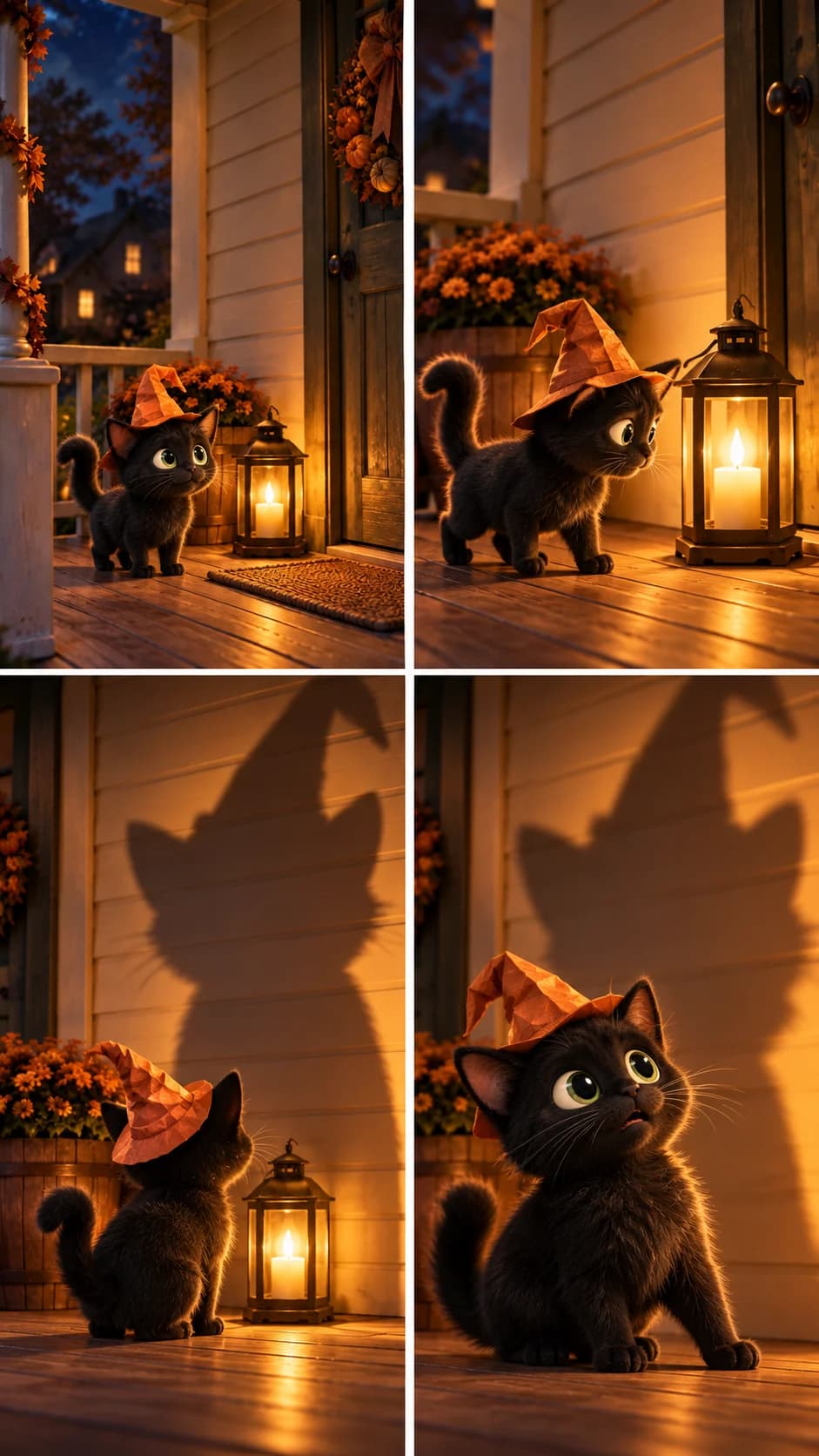
These are frames from the edited example, not four new images generated for this article. The video track runs for 24 seconds: four six-second sections. The original generated clips arrived slightly longer and needed trimming.
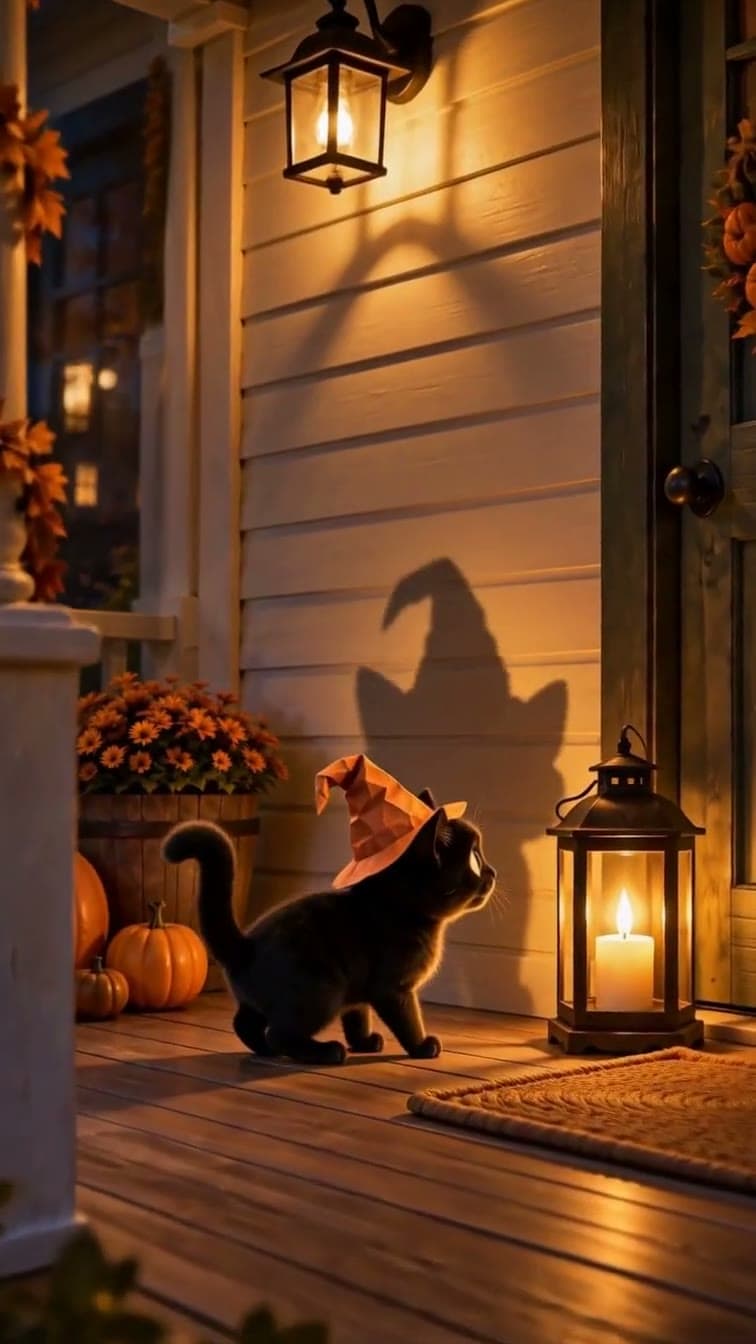
1 · Setup. The small cat and huge shadow establish the misunderstanding. 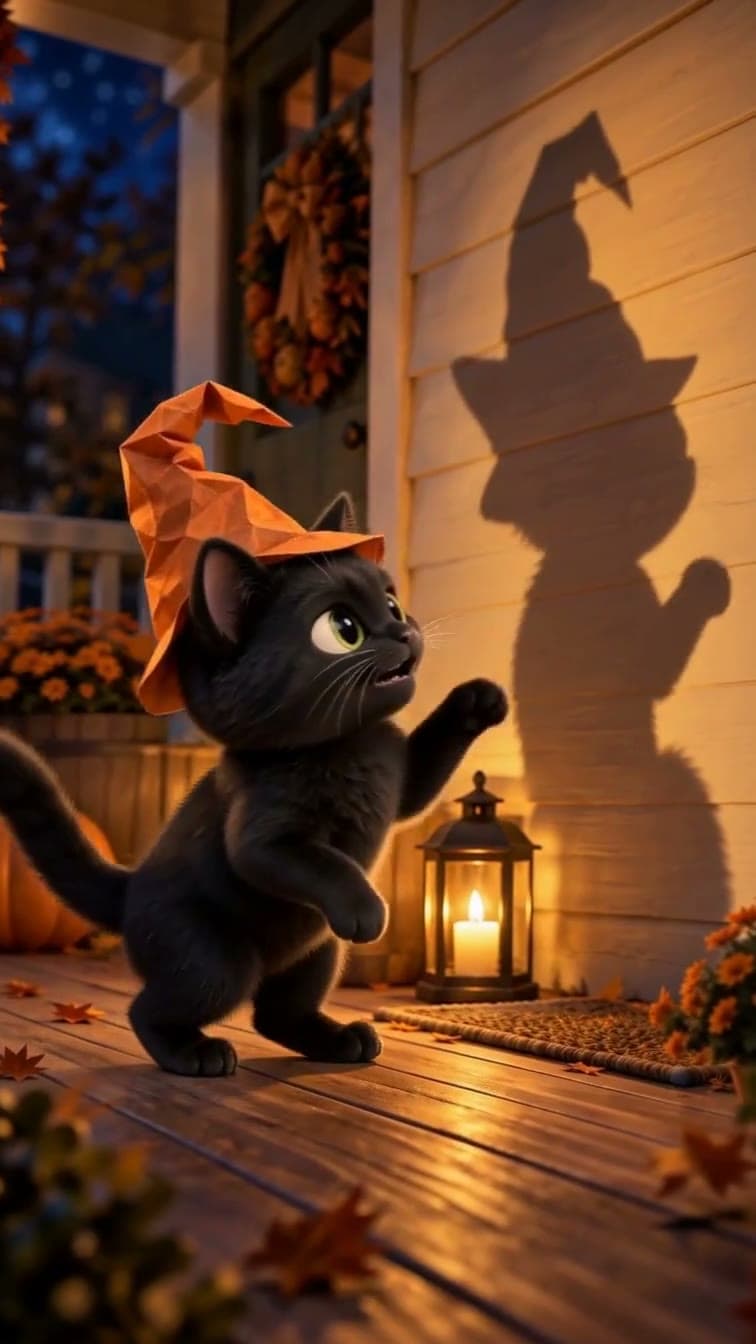
2 · Attempt. A raised paw and a windblown hat make the brave act falter. 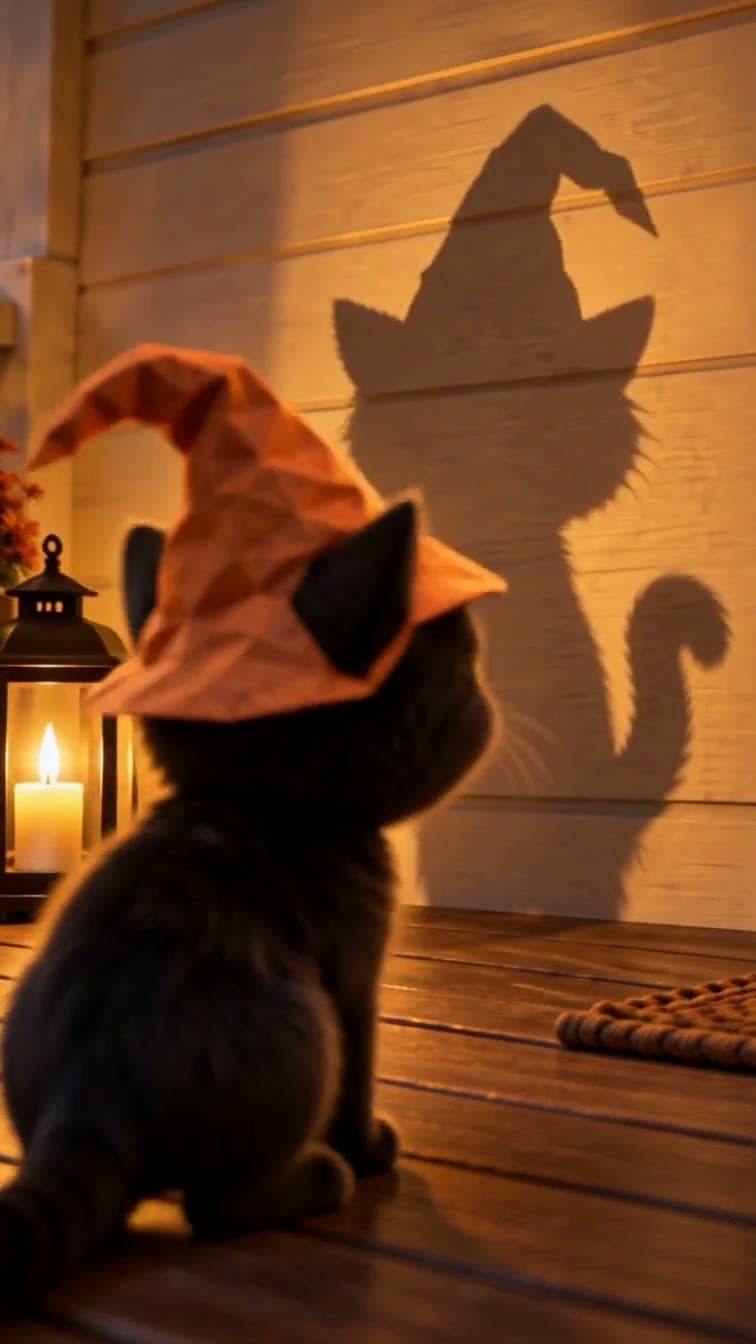
3 · Reveal. The matching ears and hat help the cat recognize its own silhouette. 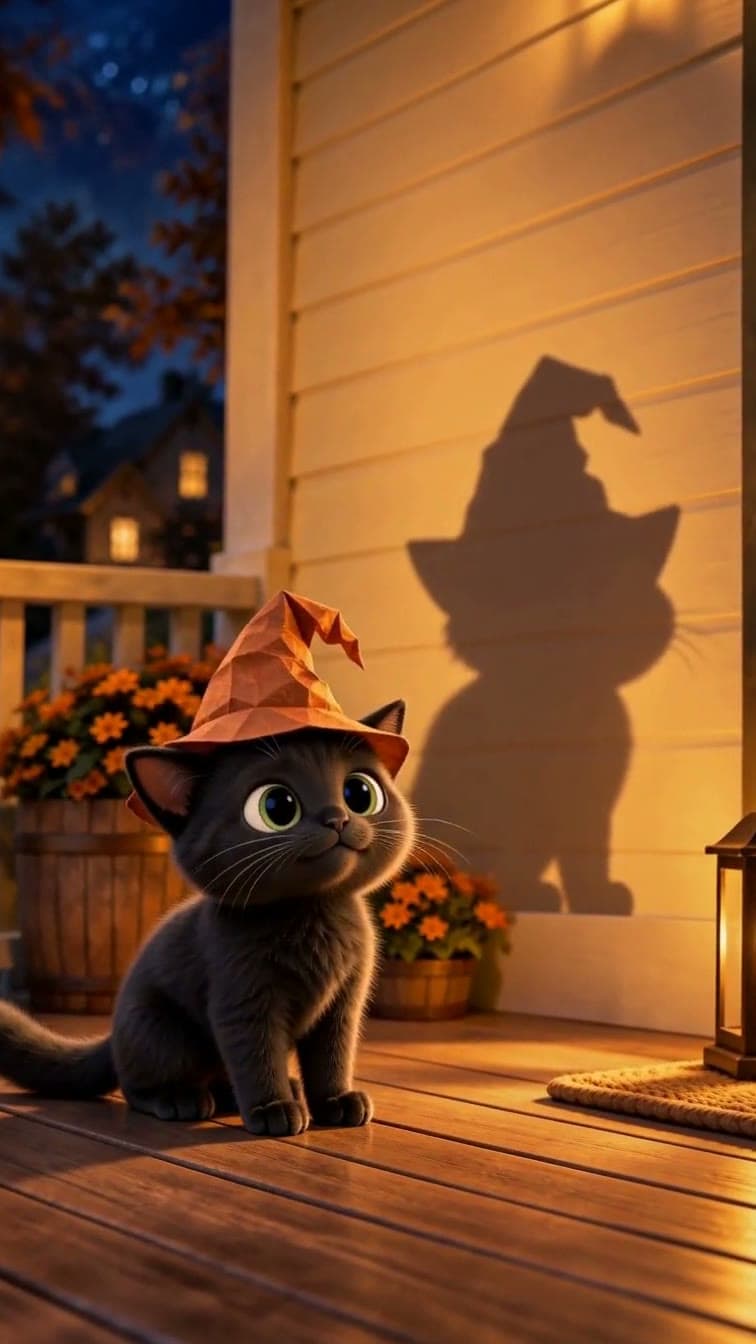
4 · Payoff. The final pause brings us back to the tiny cat beneath the huge shape.
Before you continue: The final beat should answer the opening. The shadow is familiar; what has changed is the cat’s understanding.
03
From cat photo to video: keep your pet recognizable
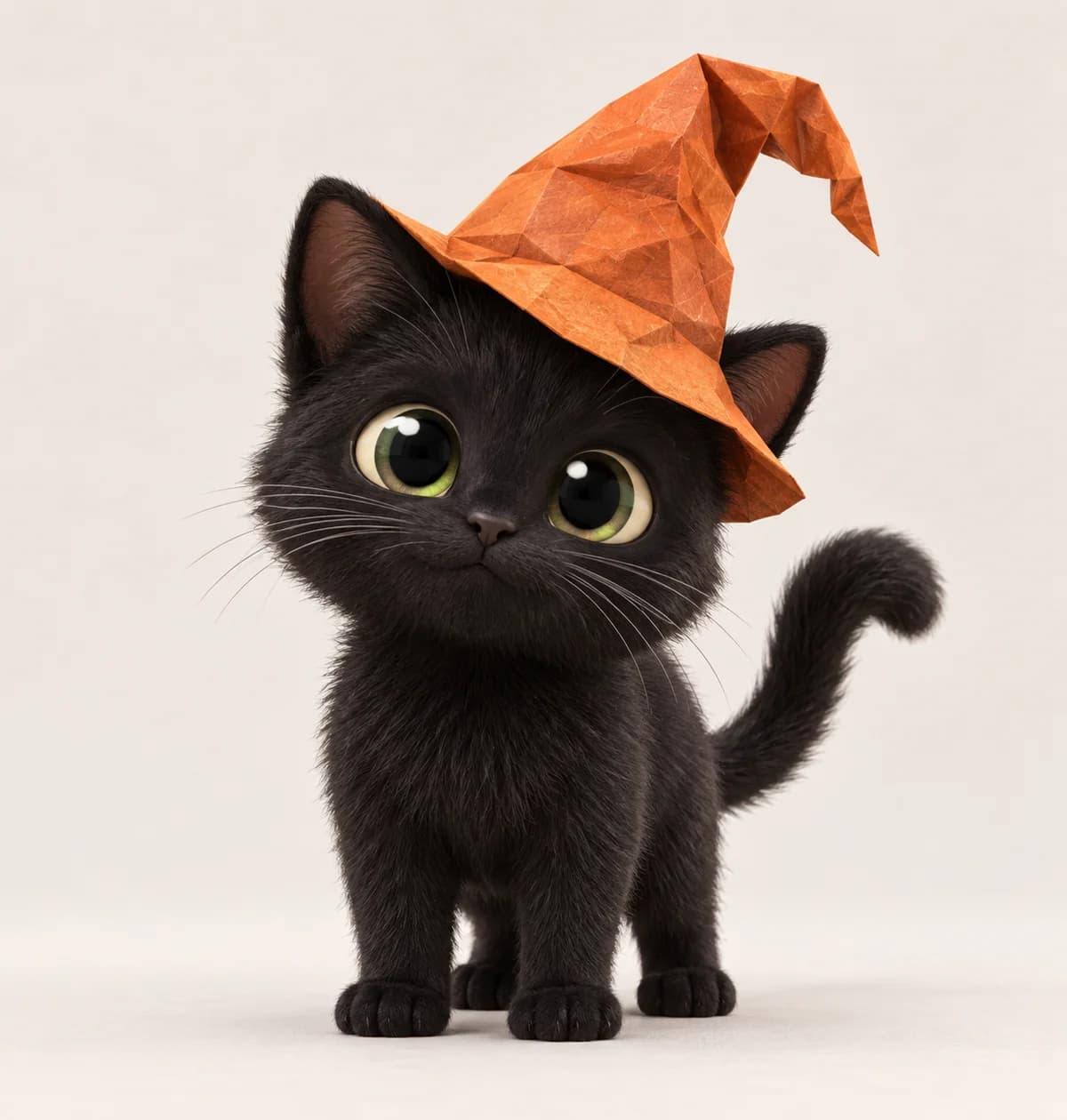
Choose a clear photo with the face, eyes and coat markings visible. A gray-and-white long-haired cat should keep those traits; it should not become the black example cat simply because Halloween is the theme.
In the template, upload the photo under “Your cat · main character reference.” Use additional views of the same cat if needed. Add a name or a few details you especially care about, such as blue eyes, white paws or a pink nose. The room in your photo does not need to become the film’s setting.
Before making dependent shots, review the character in Key Elements. Confirm that the photo is bound to the cat and that the selected production image preserves its identity. A stylized character may have larger expressive eyes, but recognizable markings should remain.
04
Give the shadow a believable light source
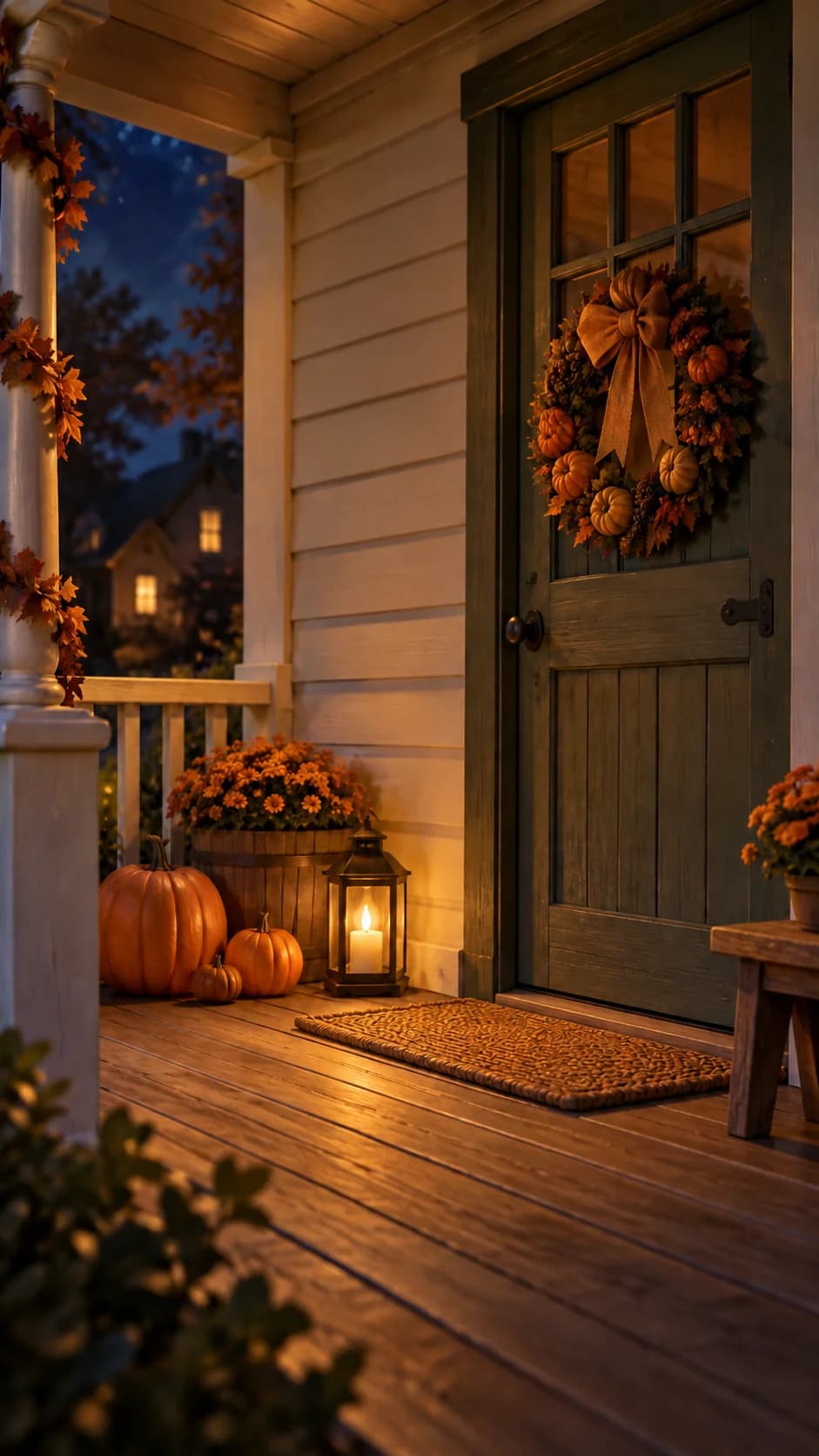
Establish the porch separately from the cat: floorboards, door, blank wall and one fixed floor lantern. That lantern explains the shadow. Its position is part of the story, not just decoration.
In our reference preparation, we removed a wall-mounted lantern so there was one intended light source. The corrected location image below is the actual reference. Later video results still invented an extra wall light in wider shots—a useful reminder to inspect the result as well as the input.
05
Use the storyboard to plan a cause and an effect
“Make the shadow scary” leaves a great deal for the model to invent. “The cat steps closer to the fixed lantern, causing its shadow to grow across the wall” describes an action and its consequence.
Review the sequence before animating. Does the cat remain the same size and shape? Is the hat in a sensible position at the next cut? Does the shadow behave like a projection rather than another creature?
06
Watch one clip, then check the cuts
Start with the shot that tests your main idea. Check the opening frame, the cat’s identity and the movement. Once it works, carry the same references through the remaining shots. Paid generation uses credits; leave some room for revisions.
In this trial, the second shot’s raised paw and windblown hat made the clearest standalone excerpt. The third offered a useful change of perspective. The first pass also had imperfect shadow synchronization and an unwanted second jump in the final clip.
The edit removes that extra jump and holds the settled pose briefly. This makes the pacing clearer, but it does not repair every lighting or shadow inconsistency. A successful generation is a candidate to review, not a guarantee of a finished film.
- Watch without sound: can you follow fear, bravery, recognition and the final joke?
- Check adjacent clips for a changing hat, duplicated lantern or disappearing markings.
- Listen separately for the sneeze, any unwanted voice and abrupt volume changes.
- Watch the exported file through the last frame before sharing.
Before you continue: This example demonstrates a real production process, not a promise of perfect continuity, identical results or a fixed generation cost.
Questions you might have
- How do I animate a pet photo with AI?
- Start with a clear photo, identify the features to preserve and plan a simple action before generating motion. This tutorial uses a cat and a Halloween story. For another kind of pet, start a new Director idea with its photo and an action suited to that animal; the cat-specific template keeps the Halloween setup.
- Can I turn my cat into a cartoon without the Halloween theme?
- Yes. Start a new Director idea with your cat photo, ask for a cartoon style and describe a different small story. Keep its eye color, coat markings and fur length in the brief. Review the character before making video; the example and template on this page use a Halloween porch.
- Can I use my own cat photo?
- Yes. The Halloween Cat template asks for a cat photo and uses it as the main character reference. Choose a clear image and review the stylized first look for the markings and eye color you want to preserve.
- Can I make an original cartoon cat instead?
- Yes. Start a new idea in Director and describe an original cat. The photo-based homepage template is designed for people who want to use their own pet.
- Does opening the template generate all four videos?
- No. It opens an editable starting point. Create the project, review the story and visual references, then continue with video when you are ready. Normal generation and credit rules apply.
- What makes a short cat animation feel cinematic?
- A readable action, deliberate framing, consistent light and an ending that pays off the setup. Here, the contrast between a tiny cat and a huge shadow does more than elaborate camera movement.
Who is the bravest cat in your house?
Upload a clear photo to the Halloween Cat template. Keep the little shadow story, or add your own change. Your cat’s name is optional; the photo should guide the character’s look.
Make a Halloween story with my catPaid media uses credits. Check current plans.
Written by the Vixel team. About our guides and examples. If a step needs correcting, let us know.
Start with the task in front of you
Find a character, shape the ending and develop a story draft with Director.
Plan a single action and refine it in the video workspace.
Develop a character or a visual direction before producing your shots.
Turn a product message into a script and shot sequence with Director.